Measure movement.Understand readiness.Perform with precision.
Refuel AI Performance connects body assessment, manual wearable data, training, nutrition and recovery—turning athlete inputs into practical performance support.
Free assessment · No payment required.
Illustrative dashboard · Coach Jawad
Form quality0/100
Readiness0%
Symmetry0%
Recovery stateOptimal
MobilityHigh
AI confidence0%
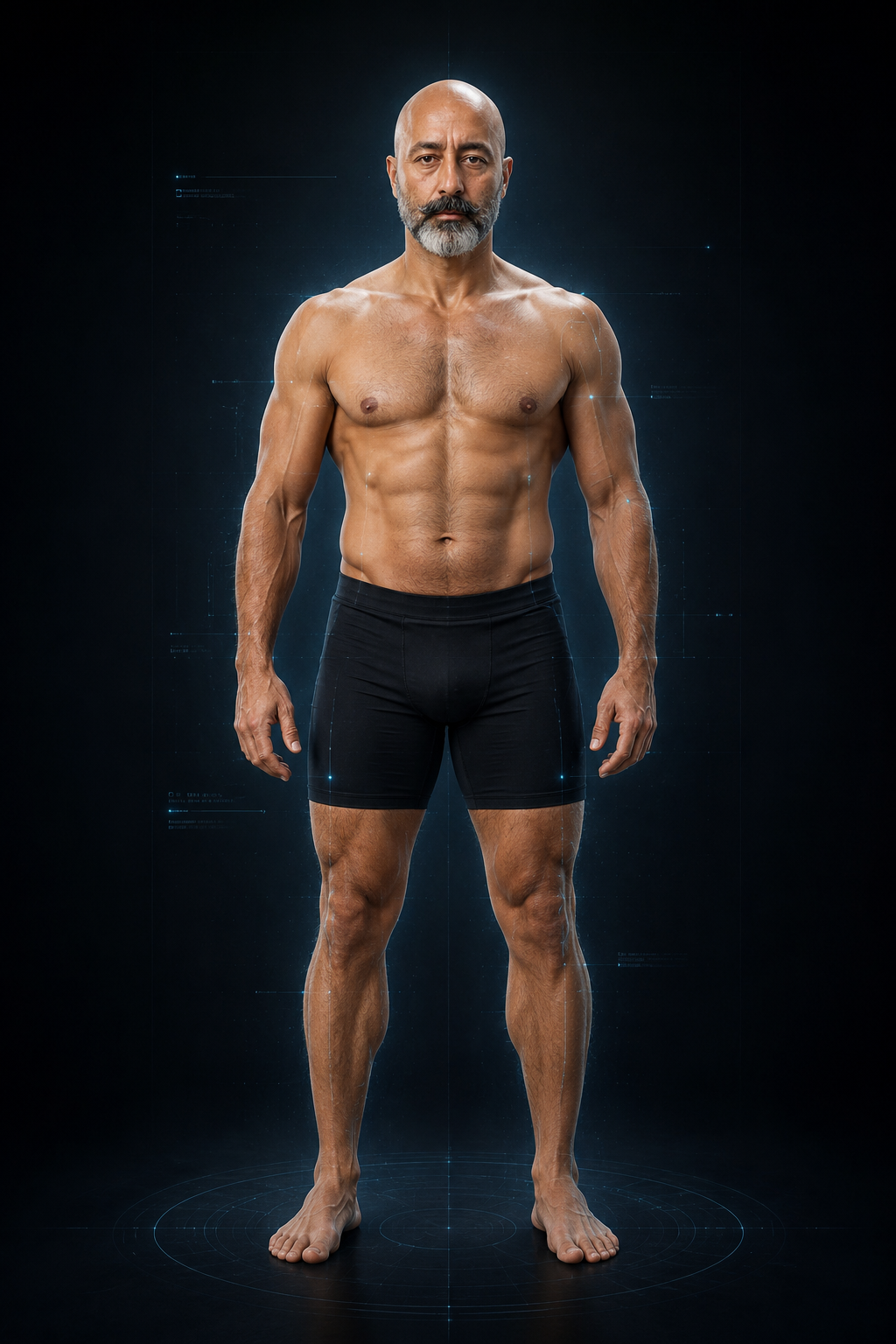
Tracking 33 body joints
Practical athlete performance hub
Choose a tool. Enter your data. Get a usable output.
No empty marketing cards. The core tools below open real forms for assessment, manual wearable data, training, nutrition, supplements, recovery and reports.
Refuel athlete workflow
Your performance plan
8 STEPS
Working
Photo-Based Body & Movement Assessment
Free demo using Front and Side photos. Preview the assessment experience. No payment required.
Manual entry
Wearable Intelligence
Type sleep, energy, soreness, stress, HR, HRV, steps and training-load data from any device.
Maximum options
Training Builder
Sport, goal, level, style, equipment, days, duration and session focus—then build a practical plan.
Food choices
Performance Nutrition
Choose dietary style, meal timing and preferred proteins, carbs, fats, fruit and vegetables.
Caution-led
Supplement Intelligence
Evidence-aware supplement categories with medical, medication, age and anti-doping caution gates.
Daily
Recovery Planner
Use sleep, stress, soreness, hydration and available recovery time to create a simple recovery direction.
Printable
Performance Reports
Combine the data saved in this browser into one athlete performance summary and print/save as PDF.
Preview the planned membership options and Canadian pricing below. Paid memberships are not yet active; the current assessment demo is free.
CAD $19.99 / month
CAD $199.90/year · 2 months free
Performance
Core athlete tools
For individual athletes who want a practical daily performance workflow.
AI Body Assessment
Manual Wearable & Readiness
Training Plan Builder
Performance Nutrition
Performance Report
CAD $39.99 / month
CAD $399.90/year · 2 months free
Performance Pro
Full performance intelligence
For serious athletes who want the complete training, nutrition, recovery and supplement workflow.
Everything in Performance
Supplement Intelligence
Recovery Planner
Expanded training options
Combined performance reporting
CAD $69.99 / month
CAD $699.90/year · 2 months free
Commercial Performance
Advanced athlete / coach workflow
Designed for athletes, coaches, gyms and academies that need deeper review and reporting.
Everything in Performance Pro
Coach-review workflow
Advanced report verification
Priority support structure
Future team / academy controls
Paid memberships coming soon. Prices shown are planned rates in Canadian dollars. Selecting a plan records your interest only; no payment is required or taken.
Refuel Fitness · real history + AI integration
From real training history to AI performance intelligence.
Real Refuel gym footage and coaching history, presented with a transparent AI interface layer to show how the physical fitness environment evolves into assessment, movement intelligence, recovery and reporting.
AI integration · demo overlay
Front Squat · Strength in MotionReal Refuel strength footage presented with a transparent AI movement-analysis overlay.
Physical foundation
Refuel FitnessThe real training environment behind the platform.
Strength signals · 260 kg
260 kg Back SquatHeavy strength training archive presented alongside the future AI performance workflow.
Nutrition + recovery
Beyond the workoutTraining, nutrition and recovery remain connected.
Human + AI
Coaching stays centralAI supports the coach and athlete workflow rather than replacing it.
Authenticity: the photos and videos are real Refuel archive material. AI scan lines and interface labels are visual presentation overlays only, not historical measurement claims.
Explore Refuel
Performance tools & guidance
Public SEO pages
Explore Refuel Performance
Focused pages for athletes, coaches and Google search discovery.
Use data from any watch or app—no device connection required.
Enter what your Apple Watch, Fitbit, Huawei, Samsung, Garmin or other device shows. Refuel keeps the workflow simple and calculates a transparent readiness indicator only from the fields you enter.
SleepHours + self-rated quality
RecoveryEnergy, soreness + stress
Heart dataResting HR + optional HRV
Training loadMinutes + session RPE
How it works
From athlete input to a smarter daily plan.
A compact workflow keeps the athlete focused: enter data, generate guidance, save the result to the browser report.
01
Complete your assessment
Complete only the module you need: body scan, wearable data, training, nutrition, supplements or recovery.
02
AI analyzes the signals
Each tool creates a practical output and saves the latest result locally in this browser for reporting.
03
Train with precision
Open the Performance Report to review the latest saved outputs in one compact summary.
Safety-led by design
AI Jawad supports athletes and qualified professionals. It does not diagnose injuries or replace doctors, physiotherapists, dietitians or certified coaches. Seek professional medical care for pain, injury or concerning symptoms.
Evidence & trust center
Built to be more authentic, explainable and reliable.
These trust layers make the platform feel credible for athletes, families, coaches and clinical-rehabilitation audiences. Nothing here relies on fake claims or invented authority.
AI Methodology
Explain exactly how the assessment works so users understand what the AI is and is not doing.
01
33 visible body landmarks drive the 2D screening workflow.
Front and side photos are analyzed separately.
Each reported observation is tied to visible landmarks and confidence.
Explainable AI33 landmarksFront + side
Validation Status
Be clear about the current maturity of the product instead of overstating certainty.
02
Current status: pilot / demonstration performance-screening system.
Not clinically validated at this stage.
Future validation should include documented test plans and comparison checks.
Pilot statusNo fake validationTransparent
Professional Review & Oversight
Show that human expertise matters and that AI recommendations should be responsibly reviewed.
03
Use only real named reviewers, coaches or clinicians with permission.
Mark each report as AI-generated, coach-reviewed or pending review.
Add reviewer names only after genuine oversight is in place.
Coach reviewHuman oversightProfessional input
Privacy & Data Protection
Body photos are sensitive. The website should clearly state what happens to them.
04
Current version: on-device photo analysis in the browser session.
Session photos can be deleted from the assessment screen.
Future server storage must explain retention, access and deletion rules.
Trust improves when limitations are openly explained instead of hidden.
05
The system screens visible posture and alignment patterns only.
It does not diagnose injuries, disease or internal conditions.
Camera angle, lighting, clothing and stance can affect results.
Non-medicalScreening onlyTransparent limits
Pilot & Testing Evidence
Show real testing progress with authentic evidence instead of invented user numbers.
06
Device testing should document Android, iPhone, laptop and desktop behaviour.
Pilot feedback should record what improved after each round.
Publish only genuine pilot numbers and results.
Testing logDevice coverageReal feedback
Explain Results in Every Report
Every measurement should be understandable to the user, not just displayed as a number.
07
Show the measured value, status and what visible landmarks were used.
Include a short “how this was calculated” explanation.
Differentiate clearly between visibility confidence and medical certainty.
How measuredClear report logicNo mystery scores
Business Identity & Contact
Real organisations look more trustworthy when users can see who is behind the platform.
08
Brand: Refuel Fitness — AI Performance Platform.
Domain: refuelaiperformance.com.
Add a real business email, team page and official contact process before broad public launch.
Brand identityTeam visibilityContact clarity
Report Verification
Professional-looking reports should clearly identify when and how they were generated.
09
Add report date, session reference number and AI version.
Mark whether the report is AI-only or human-reviewed.
Keep a visible disclaimer inside the PDF.
Reference IDAI versionVerification trail
Authenticity Rules
The website should never rely on fake trust signals.
10
No fake testimonials, fake doctors, fake certifications or made-up user counts.
No false claims of clinical validation.
Trust must come from genuine evidence, transparent wording and working features.
No fake badgesNo invented claimsReal evidence only
Recommended launch trust checklist
Before wider promotion, activate an official business email, publish the privacy policy and AI disclaimer, complete small pilot testing, and add real professional oversight only when it is genuinely in place.
Refuel Fitness membership
Choose your performance level.
Transparent Canadian pricing. Upgrade the workflow as your training and coaching needs grow.
Core
Performance
A focused performance toolkit for individual athletes building a consistent daily workflow.
CAD $19.99/mo
Billed monthly
AI Body Assessment
Manual Wearable & Readiness
Training Plan Builder
Performance Nutrition
Performance Report
Most popularComplete
Performance Pro
The complete athlete workflow for training, nutrition, recovery and supplement intelligence.
CAD $39.99/mo
Billed monthly
Everything in Performance
Supplement Intelligence
Recovery Planner
Expanded training options
Combined performance reporting
Commercial
Commercial Performance
A higher-touch workflow for serious athletes, coaches, gyms and performance environments.
CAD $69.99/mo
Billed monthly
Everything in Performance Pro
Coach-review workflow
Advanced report verification
Priority support structure
Future team / academy controls
No payment is taken in this version. The membership selector records your preferred plan in this browser only. Secure checkout can be connected when the payment provider and commercial terms are finalized.
Manual wearable intelligence
Today’s Readiness & Wearable Data
Enter values manually from any watch, app or your own observation. Optional device metrics are context only.
Maximum training options
Training Plan Builder
Choose sport, goal, style, equipment, frequency and session length. The plan uses RPE ranges—not maximum-load prescriptions.
Full food-choice workflow
Performance Nutrition Builder
Build a food-first framework from dietary style, training timing and foods the athlete actually prefers.
Supplement intelligence
Food First. Supplements Second.
Refuel may suggest categories with caution, but does not diagnose deficiencies or replace a doctor, pharmacist or sports dietitian.
Safety gate: if the athlete is under 18, pregnant/breastfeeding, taking medication, has a medical condition, or has unresolved symptoms, individualized supplement suggestions are withheld and professional review is recommended.
Recovery planner
Build Today’s Recovery Direction
Simple recovery support from sleep, soreness, stress, hydration and available time.
Premium athlete performance report
Refuel AI Performance Report
Branded multi-page athlete report with assessment, readiness, training, nutrition, recovery and action priorities.
Evidence & trust center
Policy
Important information about how Refuel AI Performance presents its AI screening and user protections.
Current methodology summary: the AI Body Assessment uses visible 2D body landmarks from front and side full-body photos. Measurements are generated only when the landmarks required for that measurement are visible enough.
How the workflow works
Step 1: collect consent and simple athlete details.
Step 2: analyze a front full-body photo.
Step 3: analyze a side full-body photo.
Step 4: calculate only the observations supported by visible landmarks and show them with explanations.
What the AI uses
Visible body landmarks and their confidence.
Relative left-right alignment patterns.
Basic orientation, body visibility and photo quality checks.
What improves accuracy
Portrait orientation.
Plain background and even lighting.
Head, hands, knees and feet fully visible.
Consistent distance and camera height for repeat assessments.
Current product status: pilot / demonstration performance-screening platform. The platform should not claim clinical validation until that evidence genuinely exists.
What can be said now
This is an explainable AI screening workflow for visible alignment and posture observations.
This version is suitable for pilot demonstration and product testing.
This version is not a medical diagnosis tool.
What should be added later
Documented pilot methodology.
Repeatability checks under fixed photo conditions.
Feedback from qualified coaches or clinicians.
Published validation summaries only after they are real.
Human review strengthens trust. AI outputs should support coaches and professionals, not replace them.
Recommended oversight model
AI-only report
Coach-reviewed report
Clinician-referred status if concerns are noted
Important rule
Add only genuine reviewer names and credentials.
Do not invent doctors, specialists or advisory board members.
Use written permission before displaying any professional name.
Current privacy position for this version: selected assessment photos are analyzed in the current browser session. This version is designed as an on-device demonstration flow and allows session deletion from the report screen.
What users should know
Whether photos stay on the device or are sent to a server.
How long data is kept.
Who can access the data.
How to request deletion.
Before server storage is enabled
Add a full privacy policy.
Add a consent record.
Add secure file handling, access control and deletion controls.
Delete Session Photos is available inside the AI Body Assessment report screen for the current version.
Recommended public deletion wording
Users can clear session photos directly from the assessment result screen.
If future accounts or cloud storage are introduced, add a permanent delete-my-data request path.
Display the expected deletion timeline clearly.
Recommended future controls
Delete this session
Delete my account
Delete all stored assessment photos
Export my reports
AI and medical disclaimer: this platform screens visible posture and alignment patterns from ordinary 2D photos. It does not diagnose injury, disease or internal musculoskeletal conditions.
Examples of limitations
Results can change with stance, camera angle, clothing and lighting.
Visible symmetry does not prove internal joint health.
A single photo should not be treated as a diagnosis.
When to seek professional help
Persistent pain
Neurological symptoms
Recent injury
Significant visible asymmetry with symptoms
Testing evidence must be genuine. Publish only the pilot information that truly exists.
Recommended testing board
Devices tested: Android, iPhone, desktop, laptop
Photo upload flow working / not working
Live scan beta working / not working
Known limitations and next fixes
Suggested evidence to add later
Number of pilot sessions completed
Top user feedback themes
Changes made because of feedback
Repeat-photo comparison examples with permission
Every result should explain itself. Numbers alone do not build trust.
Recommended report structure
Measurement name
Measured value
Status: Good / Review / Unable
Short explanation of what was measured
Landmark confidence
Important distinction
AI landmark confidence = visibility confidence.
It does not equal medical certainty.
Current brand identity: Refuel Fitness — AI Performance Platform. Domain: refuelaiperformance.com.
Recommended identity items before broad launch
About page
Founder / team page
Official business email
Contact form or support path
Terms, privacy policy and AI disclaimer
Current authenticity rule
Do not display fake addresses, fake registration numbers or fake contact credentials.
Reports should be traceable. A premium PDF should show where it came from and under what system version it was generated.
Recommended verification fields
Assessment date
Session reference number
AI version
Assessment type: front + side photo screening
Review status: AI only / Coach reviewed
Authenticity standard: trust should come from real performance, clear explanations and genuine evidence.
Never use
Fake testimonials
Invented clinicians
False claims of clinical validation
Made-up user counts
Unverified certification logos
Always prefer
Real pilot evidence
Named genuine reviewers
Open explanation of limits
Working product features
Terms of use summary: this website provides a non-medical AI performance-screening and assessment experience. Users remain responsible for how they interpret and use the information.
Core terms to publish
Non-medical informational use only
User responsibility for supplied images and information
No guarantee of uninterrupted service
Right to update or withdraw pilot features
Contact path for questions or complaints
Contact & complaints: activate a dedicated public support channel before wider promotion so users know where to send questions or concerns.
Recommended contact items
Official business email (for example support@refuelaiperformance.com) once created
Contact page or secure form
Business / founder contact information
Response expectations for privacy or data requests
Complaints path
Provide a clear route for technical issues, privacy requests and report-quality concerns.
Compact workflow summary: the athlete opens only the module needed, enters practical information, receives a usable output and can review the result later inside the report popup.
Recommended athlete flow
1. Open AI Body Assessment or any other tool module.
2. Enter athlete details and the data actually available today.
3. Generate the result inside the popup.
4. Save the latest output in the browser.
5. Open the Performance Report to review the saved summary or print to PDF.
Why this compact model helps
Less scrolling on the main page
Cleaner premium look
Faster access to the real tools
Easier mobile use
Three paid memberships with Canadian pricing. Monthly: Performance CAD $19.99, Performance Pro CAD $39.99, Commercial Performance CAD $69.99. Annual billing is shown as two months free: CAD $199.90, $399.90 and $699.90 per year.
Performance
AI Body Assessment
Manual Wearable Intelligence
Training Builder
Performance Nutrition
Performance Report
Performance Pro
Everything in Performance
Supplement Intelligence
Recovery Planner
Expanded training options
Combined performance reporting
Commercial Performance
Everything in Performance Pro
Advanced athlete or coach workflow
Priority support structure
Future review controls and team features
Higher-touch performance environment
Payment checkout is not connected in this version. Selecting a plan does not charge the user.
Reports are part of the platform. The report popup combines the latest saved body assessment, wearable data, training, nutrition, supplement and recovery outputs into one summary.
What the report should include
Athlete name and session date
Readiness summary
Body-assessment findings with explanations
Training plan summary
Nutrition framework
Supplement guidance with caution
Recovery direction
Report disclaimer and verification details
Recommended authenticity rule
Every PDF should clearly show that it is an AI-generated performance summary, not a medical diagnosis or fake certified document.
AI Jawad Coach can become a strong premium feature. It should feel like a guided coaching session, not just another information page.
Suggested live-session workflow
Greeting and athlete check-in
Review readiness / wearable inputs
Discuss today’s training direction
Nutrition and hydration reminders
Supplement suggestions with caution
Recovery priorities
Save a short coaching session summary to the report
Best launch wording
If real-time voice or chat is not fully working yet, label it as AI Coach Session — Beta until the live experience is genuinely available.
Real Refuel archive · AI evolution
From the training floor to intelligent performance.
Refuel AI Performance is presented as an evolution of a real fitness environment: physical training, coaching and athlete support brought together with digital assessment, readiness, training, nutrition, recovery and reporting tools.
Real gym mediaPerformance coachingAI integration
01 · FoundationRefuel FitnessReal training space, equipment, members and practical fitness delivery.
02 · PerformanceCoaching & athlete supportTraining, movement, nutrition and recovery become one connected performance direction.
03 · IntegrationRefuel AI PerformanceAI-assisted body assessment, readiness, planning and reporting extend the physical coaching environment.
Unique journey media · Squat clips remain in the main History preview and are not repeated here.
Exercise executionReal training remains central while AI adds structured assessment and reporting.
AI layer · form workflow
Training environmentThe physical facility behind the digital performance platform.
Connected performance
Nutrition & recovery culturePerformance support extends beyond the workout itself.
AI layer · nutrition + recovery
Coaching archiveReal-world sessions become the story behind the AI platform.
AI layer · training intelligence
Human coaching remains visibleAI supports the workflow; it does not replace the real coaching foundation.
Human + AI
Kettlebell Training · Functional StrengthReal Refuel kettlebell training presented with a transparent AI movement-quality and performance-workflow layer.
AI layer · functional movement
Authenticity note: the media above is real Refuel archive material supplied for this website. The animated scan lines and AI labels are presentation overlays only; they do not claim that historical video clips were captured with live AI measurements.
Authentic launch checklist: the website should look trustworthy because the features work and the claims stay honest.
Core trust points
Explainable AI methodology
Clear pilot / validation status
Real privacy and deletion wording
Visible disclaimers and limitations
Real reports with traceability
No fake testimonials or fake certification badges
Real contact pathway
Real business identity and domain
Only genuine reviewer names
Only real pilot evidence
Secure in-browser camera
Take Assessment Photo
Use the live camera, keep the complete body inside the guide, then capture. If browser camera access fails, use the phone-camera fallback.
Back cameraAI joints loading
Joints 0/33Full body NoTracking —
Stand 2–3 metres away. Keep head, shoulders, hands, knees and feet visible.
Camera waiting.
↻
Portrait mode only
Please rotate your phone upright to continue using Refuel Fitness AI Body Scan.
Explainable on-device screening
AI Body Assessment
Front + side photo analysis with visible landmarks, measurement explanations and no invented score.
1Consent
2Front
3Side
4Results
Athlete details
Every field starts empty. These details are used only to label this assessment in the current browser session.
Before you begin
Use fitted sports clothing, a plain background and even lighting. The full body must be visible from head to feet.
What this assessment can screen
Front-view shoulder and hip level
Torso position and visible left-right variation
Basic knee-to-ankle tracking observation
Side-view head position, torso lean and standing knee angle
Tracking confidence for the landmarks used
What it does not diagnose
Injury, scoliosis, disease or deformity
Body-fat percentage or muscle mass
Internal joint or spinal conditions
Prefer live camera? Open Live Scan (Beta) →
↟
Front alignment photo
Stand naturally facing the camera. Keep your head, shoulders, hands, knees and feet visible.
Front photo instructions
Portrait orientation
Camera around hip/chest height
Stand 2–3 metres away
Feet visible and naturally positioned
Arms slightly away from the torso
Recommended for clients: use Mobile via QR when the laptop camera cannot capture the complete body. The athlete completes the full front + side assessment on the phone in this version.
Scan this QR with the athlete's phoneThe mobile link opens Refuel AI Body Assessment and keeps the working phone-camera + joint-detector flow.
Mobile full assessment 1. Scan the QR. 2. Enter athlete details and consent on the phone. 3. Take Front Photo with live joints. 4. Continue to Side Photo and Results on the phone.
Loading body-analysis model and checking landmarks…
Tracking—
Full body—
Orientation—
↦
Side posture photo
Stand naturally side-on to the camera. Keep the complete body visible and do not deliberately correct your posture.
Side photo instructions
Portrait orientation
Turn 90° to either side
Look naturally forward
Keep head and feet visible
Do not lean or pose for the photo
Mobile option: the same QR starts the complete mobile assessment. If you already started it on the phone, continue there to Side Photo and Results.
Continue on the athlete's phoneScan the same mobile-assessment QR. The phone is recommended for easier full-body framing.
Complete the assessment on mobile The current front-end does not automatically transfer a live phone session back to the desktop. The athlete should complete Front → Side → Results on the phone, or save photos and upload them here.
Results are based only on the visible 2D landmarks detected in the supplied front and side photos.
—Landmark tracking confidenceThis describes AI landmark visibility, not medical certainty.
Front landmark view
Side landmark view
Performance guidance
Non-medical screening: these observations are generated from ordinary 2D photos and can be affected by camera angle, clothing, stance and lighting. They do not diagnose injury or disease. Persistent pain, neurological symptoms or significant concerns should be assessed by an appropriate healthcare professional.
On-device pose intelligence
AI Live Body Scan
Your camera image is processed in this browser for a non-medical movement screening.
This downloaded file cannot run the camera or AI. Open the published app in Chrome instead. Open Refuel AI Performance
◉
Complete scan setup first
Enter the athlete name and select Front View or Side View. Camera controls unlock only after both fields are complete.
Camera offAI model waiting
Complete the Scan setup first. Camera controls unlock after the athlete name and assessment view are selected.
Daily readiness check
Daily Readiness Assessment
Enter your own details. Every field starts empty, and the score is calculated only after you submit your answers.
Clean on-device performance screening
AI Body Assessment
Photo first. AI second. Your image always stays visible even if the AI model cannot load.
Athlete details
These details label this browser-session assessment. Nothing is pre-filled.
Simple capture rules
Use fitted sports clothing where practical.
Keep the complete body visible from head to feet.
Use a plain background and even lighting.
Stand naturally; do not force posture corrections.
Front and side photos are screening images, not diagnostic scans.
Important: camera capture and photo display work independently of AI. If the AI model fails, you can still see, retake or replace the photo and retry analysis.
↟
Front full-body photo
Take a new photo or choose an existing one. The photo will appear immediately before AI analysis begins.
Front photo
Face the camera. Keep head, shoulders, hands, knees and feet visible. Stand around 2–3 metres away when possible.
Recommended for clients: use the mobile QR option when the laptop camera cannot capture the full body easily. The athlete can complete the entire clean body-assessment flow on the phone.
Recommended: scan on the athlete’s phoneThis opens the clean Refuel AI Body Assessment on mobile. The phone user can then complete Consent → Front → Side → Results there.
Recommended mobile captureUse the athlete’s phone when the laptop camera cannot frame the complete body comfortably.
1Open the camera app and scan the QR code.
2Refuel AI Performance opens directly in clean mobile assessment mode.
3Complete Consent → Front Photo → Side Photo → Results on the phone.
Privacy note: this simple QR version opens the assessment on the phone. It does not automatically transfer the phone session back to desktop.
Front and side photos are included. AI observations appear only where the pose model completed successfully.
—AI landmark visibility
Front view
Side view
Non-medical screening: ordinary 2D photos are affected by camera angle, stance, clothing and lighting. This does not diagnose injury, disease or internal joint/spinal conditions.
Independent camera capture
Take Photo
The camera works even if AI joints are unavailable. Capture first; analyze afterward.
Starting camera…
Refuel AI Performance
Create your account
Register once, create your password, and then use this account to log in to Refuel AI Performance.
Live total registered—
Secure account recovery
Reset your password
Enter your registered email and we will send a secure reset link.
Create a new password for your Refuel account.
Refuel AI mobile camera
Scan Once for Front + Side Photos
Scan this one-time code. Take the Front photo, then take the Side photo on the phone. Both photos return to this computer automatically.
1Open the phone Camera app and scan the QR.
2Tap Take Photo for the Front photo, then repeat on the Side screen.
3Keep this computer page open; both photos return here automatically.


 Physical foundation
 Nutrition + recovery
 Human + AI

